PAX A920 setup: from box to first payment.
The PAX A920 family is one of the most common Android smart terminals in the field. This guide covers what the device is, how first-boot setup works, how apps install through PAXSTORE, and how it takes card-present payments — plus what running Lifted Pay on it looks like.
Updated August 3, 2026 · A920, A920 Pro & A920 Max
Lifted Pay on a PAX A920 · idle screen
What the PAX A920 is
The PAX A920 is an Android-based smart payment terminal that runs PAX's PayDroid operating system. Unlike a traditional single-purpose card machine, it behaves like a small, locked-down Android device dedicated to payments: a color touchscreen, apps, and network connectivity, all hardened for handling cards. It's portable and battery-powered, with a built-in thermal receipt printer, a camera that can scan barcodes and QR codes, and card readers for contactless (tap), chip (EMV), and magstripe, over both Wi-Fi and cellular.
The A920 Pro is the upgraded generation — a larger, brighter screen and faster internals — while keeping the same core payment capabilities. Both are popular precisely because the Android base lets a merchant run a real payment app, not just a fixed firmware menu. Lifted Pay supports the A920, A920 Pro, and A920 Max.
PAX A920 vs A920 Pro vs A920 Max
All three models combine a touchscreen, secure card reader, camera, receipt printer, battery, and wireless connectivity in one handheld terminal. The difference is how much device you need around that payment flow. PAX positions the original A920 as the compact option, the A920 Pro as the step up in display and performance, and the A920 Max as the premium model for heavier workloads. Use the table as a deployment guide, then confirm the exact hardware configuration before ordering.
| Model | Best fit | Why choose it | Lifted app fit |
|---|---|---|---|
| PAX A920 | Portable checkout and straightforward card acceptance | Compact, familiar and proven in the field | Lifted Pay or Lifted POS Connect |
| PAX A920 Pro | Merchants wanting a larger display and more application headroom | Enhanced screen and performance while retaining the handheld form | Lifted Pay or Lifted POS Connect |
| PAX A920 Max | Higher-volume or app-heavy mobile deployments | Top-end performance, display and battery positioning in the A920 family | Lifted Pay or Lifted POS Connect |
For manufacturer-level model details, use the official PAX A920 family comparison. Lifted qualifies the terminal, app, connectivity, merchant account and payment configuration together so a merchant is not left with compatible-looking hardware that cannot be boarded.
Lifecycle note: PAX's current product page says the original A920 is end-of-life for new purchases. That does not automatically retire an existing installed device: continued use depends on supported hardware, security updates, the assigned payment application, processor configuration, and the merchant's validated deployment. For a new rollout, confirm current A920 Pro or A920 Max availability before ordering. See the official A920 product record and PAX quick setup guide.
First-boot setup, step by step
Exact prompts vary by firmware and provider, but every A920 follows the same shape when you take it out of the box:
- Charge and power on. Give it a full charge, then hold the power button. The terminal boots into PayDroid.
- Connect to a network. Join Wi-Fi from the settings, or insert a SIM for cellular. A payment terminal needs a live connection to authorize cards.
- Set date, time, and region. Accurate time matters — payment security and receipts depend on it.
- Let it check for updates. PayDroid and installed apps typically pull updates over the network on first connect.
- Install your payment app. This is the key step, and it happens through PAXSTORE — covered next.
- Activate the app to your merchant account. The payment app links the device to your account so it can take real cards.
How apps install: PAXSTORE
You don't sideload apps onto a payment terminal the way you would a phone. The A920 uses PAXSTORE, PAX's app marketplace and remote device-management platform. Your payments provider publishes or assigns the payment app there, and it installs onto your terminal over the air. This is deliberate: it keeps payment apps signed, centrally managed, and updatable, and it lets a provider push fixes to a whole fleet without touching each device. When you get an A920 through a processor, the payment app is provisioned this way rather than downloaded from a consumer app store.
Lifted Pay version 0.0.5 is PAXSTORE-approved for PAX PayDroid. PAXSTORE approval establishes the approved application build and distribution state; a merchant rollout still requires supported hardware, the correct processing configuration, boarding, and end-to-end validation. Compare it with Lifted POS Connect, the approved LiftedPOS companion.
Watch both A920 payment workflows
One app starts the sale on the terminal. The other receives the sale from LiftedPOS. These public full product demos — 2 minutes for Lifted Pay, about a minute for Lifted POS Connect — show the difference without turning this hardware guide into another product pitch.
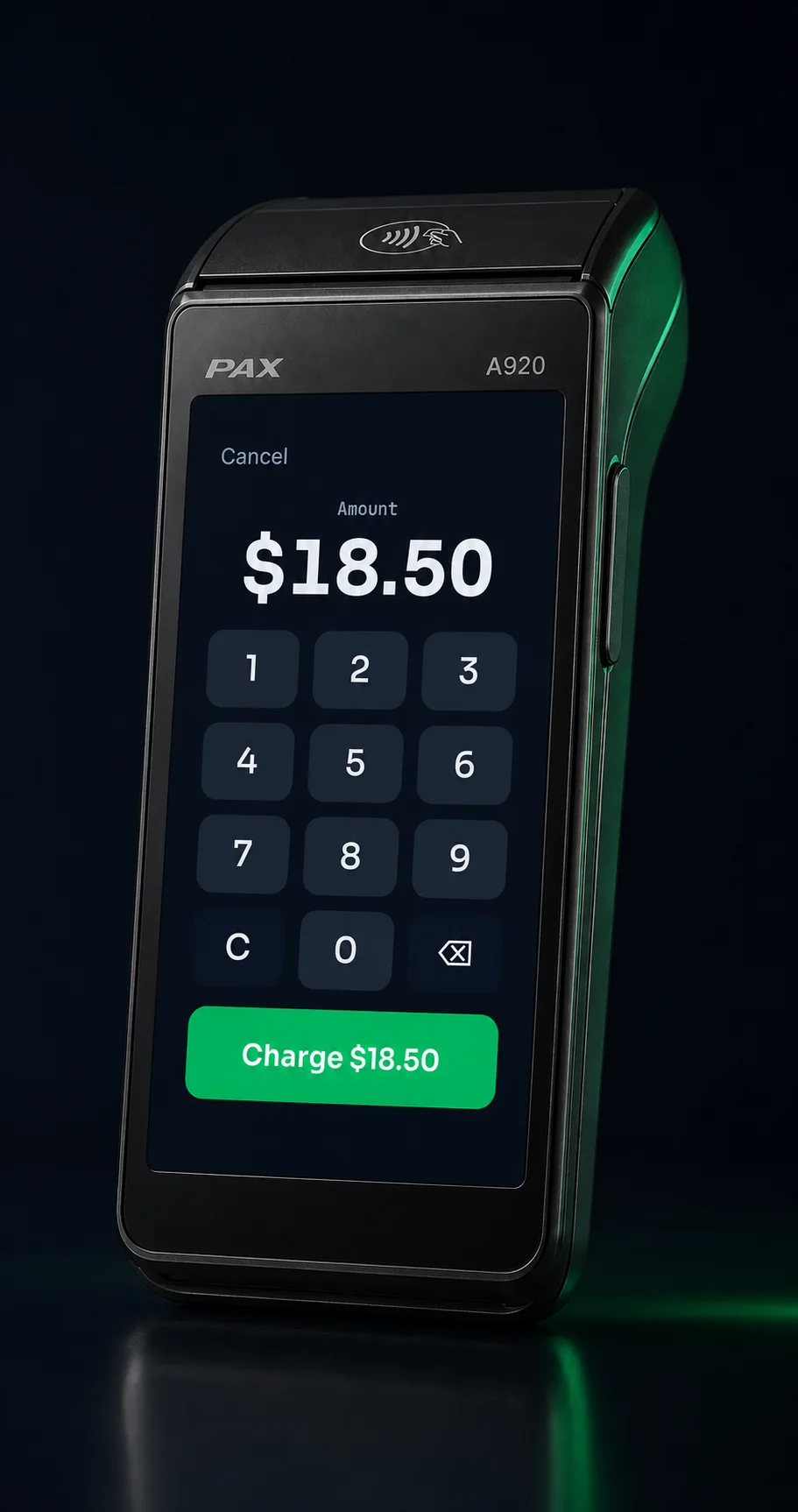 Standalone workflowLifted Pay on PAX A920Amount entry, secure card handoff, approval, and reporting.
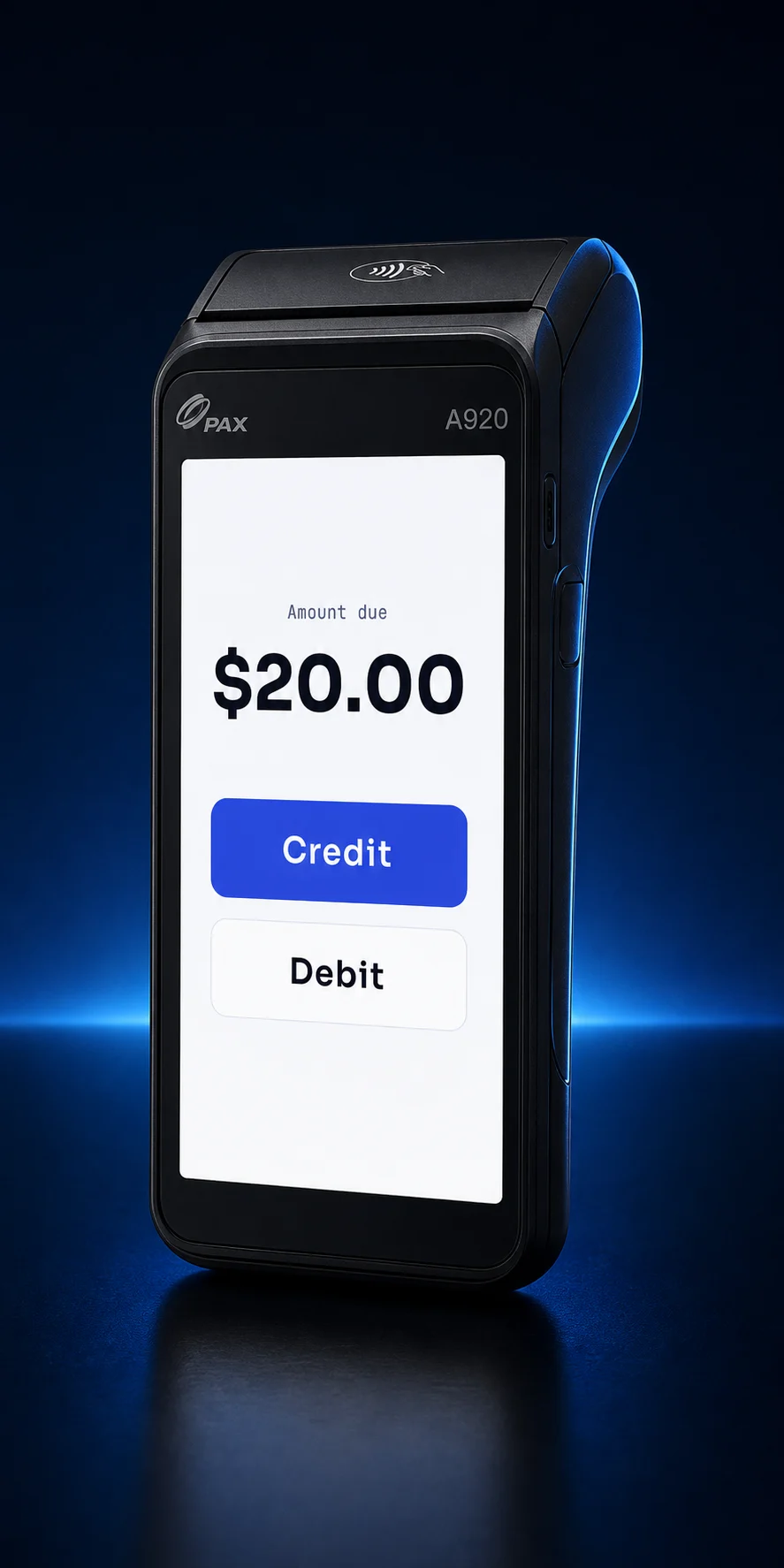 POS-linked workflowLifted POS Connect on PAX A920LiftedPOS handoff, tender choice, approval, and result return.
Taking a card-present payment
Once a payment app is installed and activated, a sale is straightforward: enter the amount, then the customer taps, inserts, or swipes. Card-present transactions like these are what the A920 is built for, and they generally carry lower interchange than keyed or online payments — one reason a physical terminal is worth it for counter sales. On Lifted Pay, card-present sales, tips, receipts, reporting, tokenized customer records, and eligible refunds are available today. The browser virtual terminal and self-service saved-card charge workflow remain in release gating; an item catalog with cost and margin, invoices, and payment links are on the roadmap. See Lifted Pay and the PAX payment app page for the full picture.
A note on the screen during payment
On PAX terminals, the configured secure payment layer takes over the physical screen the moment a card interaction begins — amount confirm, tap/insert/swipe, PIN, and approval. That's a security feature: the part of the flow that touches the card is owned by the trusted payment stack, not the app's own UI. A well-built terminal app respects that handoff rather than drawing over it.
Security: E2EE and tokenization on the A920
A modern payment app on the A920 encrypts the card at the reader and stores it only as a token. On Lifted Pay, cards are end-to-end encrypted and vaulted as tokens, so the clear card number never touches merchant systems — which supports a SAQ-A compliance posture and enables cards on file and refund-after-settlement (proven on a live A920 Pro). If you want the full mechanics, see our guide to tokenization and SAQ-A compliance.
Buyer's checklist
- The terminal is only half the decision. The app and the processor behind it determine your rate, your features, and your compliance scope.
- Ask how the app is distributed. A signed app managed through PAXSTORE is the norm for payment terminals — it means updates and fixes reach you cleanly.
- Confirm encryption and tokenization. Cards should be encrypted at the reader and stored as tokens, never as a clear card number.
- Pair it with the right pricing. Card-present rates plus interchange-plus pricing is the combination that actually keeps costs down — see our pricing guide.
Already have the terminal but something is not working? Use the focused PAX A920 troubleshooting guide for Wi-Fi, comms, charging, printer, card-reader and PAXSTORE update checks.
PAX A920, answered straight.
What is the PAX A920?
How do apps get installed on a PAX A920?
Can I use a PAX A920 with any processor?
Is Lifted Pay approved for PAX PayDroid?
Which PAX A920 model should I choose?
Is the original PAX A920 discontinued?
Put the A920 to work on an honest rate.
Apply for merchant processing with supported PAX hardware and the PAXSTORE-approved Lifted Pay application, configured and validated by one team.