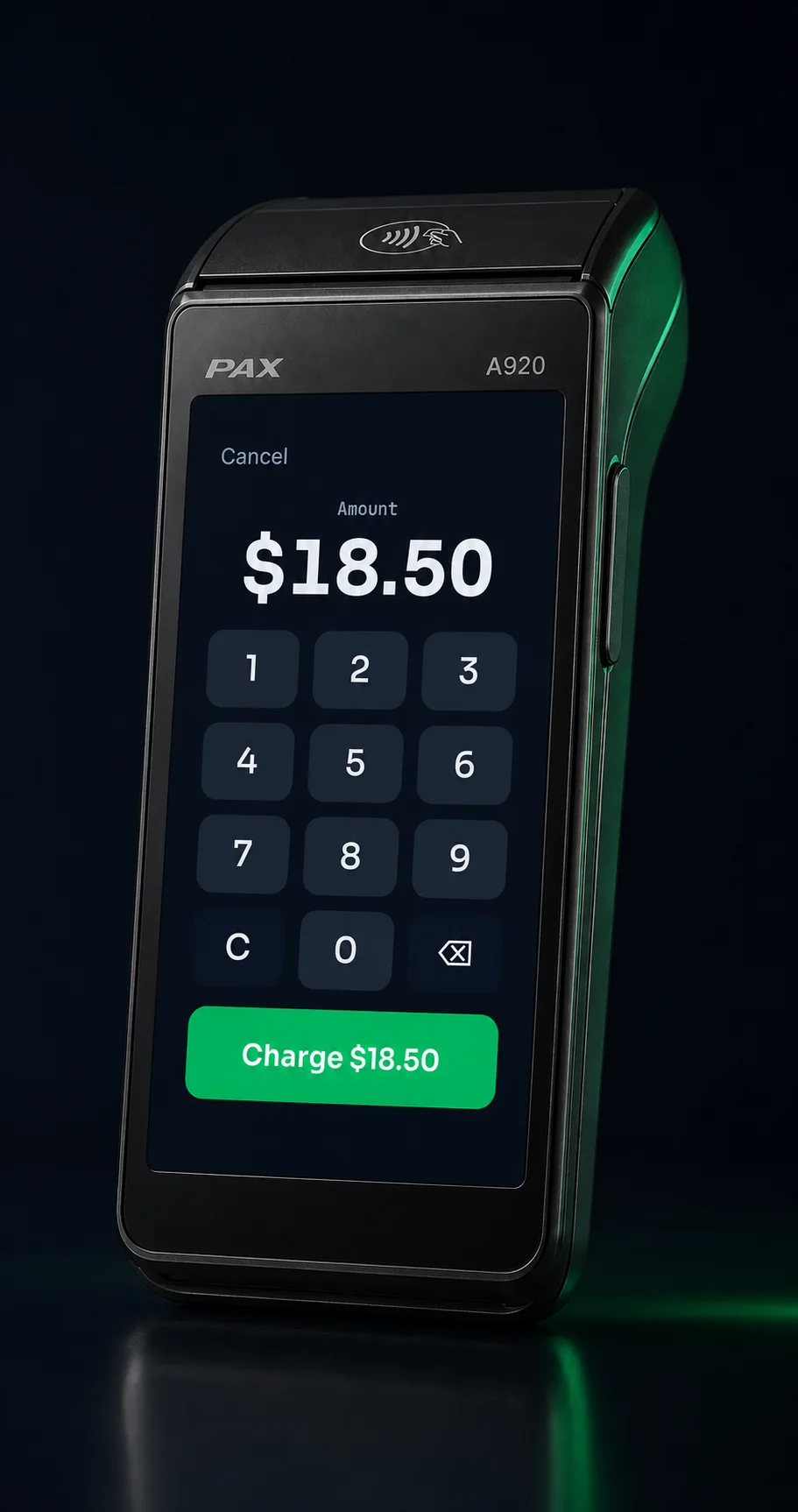
Lifted Pay turns a PAX A920 into your whole counter — tap, dip, and swipe with full
catalog checkout on the terminal, and a back office that tracks true item cost and margin on every
sale.
PAXSTORE-approved for PAX PayDroidE2EE tokenization · SAQ-ADual pricing built in
Demo on a simulated processor · no live card charged.
Built and operated by the team behind LiftedPOS and the Lifted merchant
portal — the same people who answer when you call.
Where Lifted Pay fits
One application, and we fit the right stack to your business.
Lifted Pay is a Lifted-built application offered inside a qualified merchant processing deployment — most
counter-service merchants land on Lifted Pay on a PAX A920, and where a full POS or gateway integration
fits better, we say so before you sign.
Payment ISO with your own processing relationships? Lifted Pay deploys on your VAR sheet — see ISO partners.
1Apply for processing.Underwriting reviews the real business and payment profile.
2Qualify the setup.We confirm hardware, processor, application, connectivity, and operating requirements.
3Configure and validate.The complete payment path is tested before merchant launch.
SwipeSimple stops at items and low-stock alerts — no cost field, no purchase orders, no
margin report. Lifted Pay ships all three today, with invoices and payment links next on the roadmap.
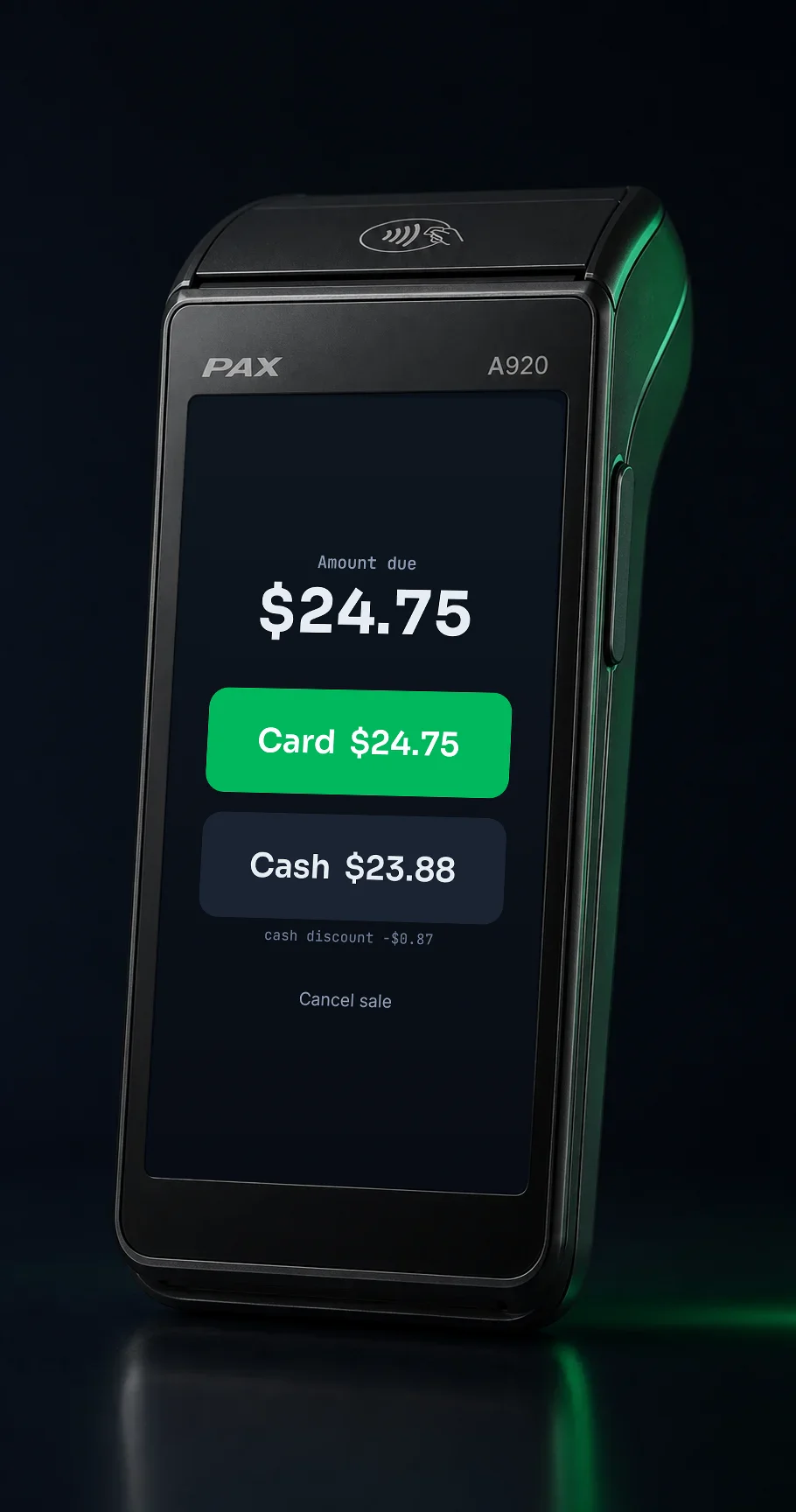
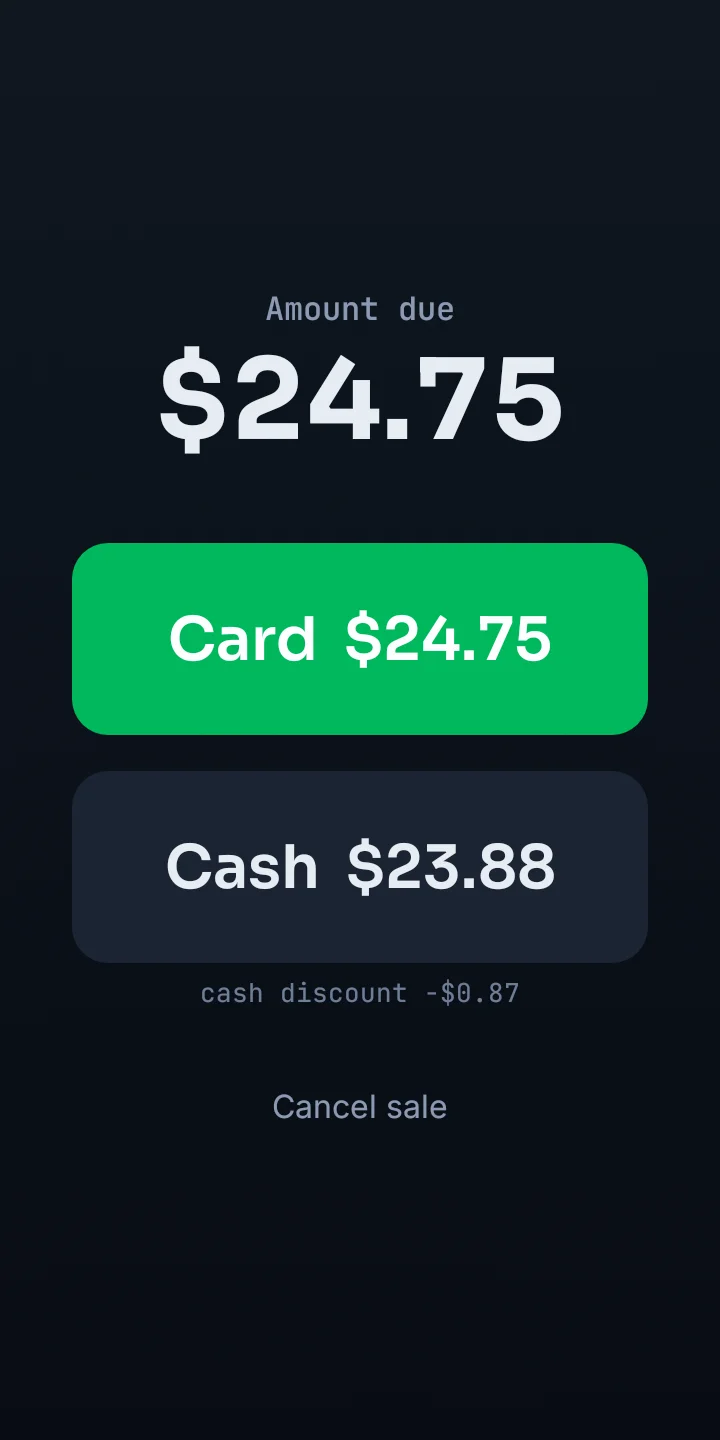
Dual pricing, built in.Square doesn’t offer dual pricing. SwipeSimple sends you to a partner program. Lifted Pay presents card and cash pricing on the terminal, with disclosure handled, for $10 a month per device.
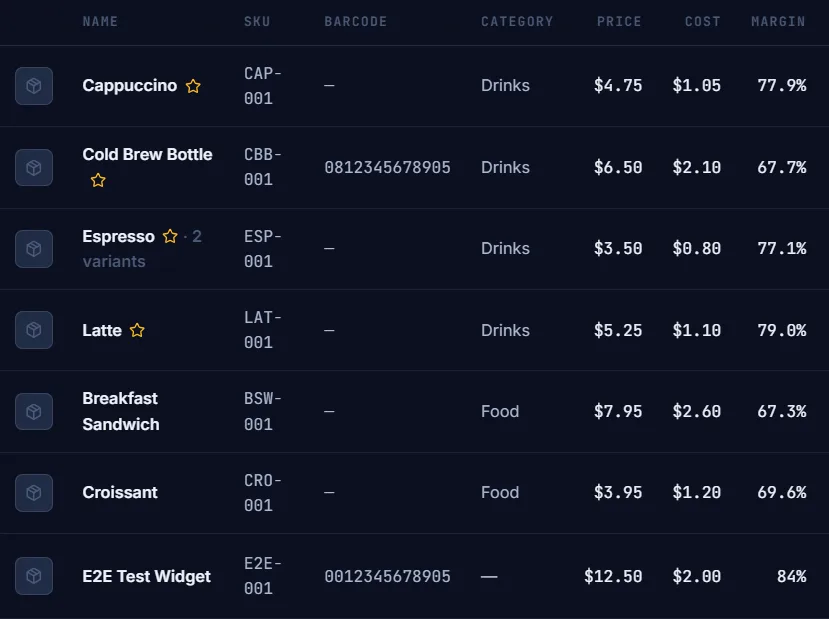
Cost, COGS, and margin — in the base price.SwipeSimple has no cost field at all. Square hides wholesale cost behind a paid Retail tier. Lifted Pay puts weighted-average cost and margin % on every item, included.
Purchase orders with partial receiving.Draft a PO, receive it line by line — even partial shipments — and weighted-average cost recomputes on every receipt. In the portal today. No SwipeSimple-class terminal app does this.
Invoices that take a deposit.ComingSwipeSimple’s own docs: “Invoices must be paid for the total amount.” Lifted Pay will take partial payments and deposits out of the box.
Comparison lines are drawn from SwipeSimple’s and Square’s own published documentation.
A920 · dual pricing · demo
Actual Lifted Pay interface · demonstration against a simulated processor · no live card charged.
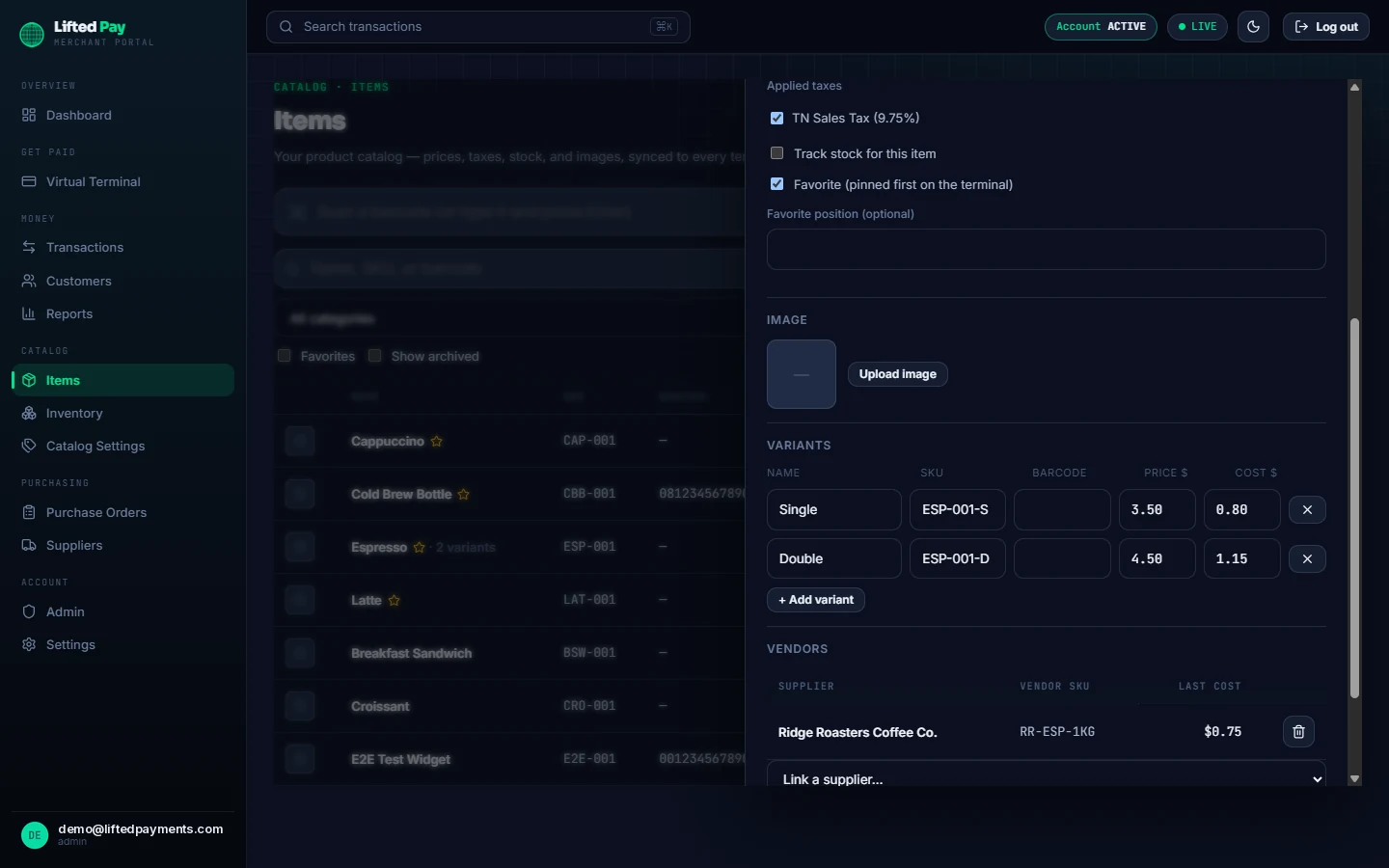
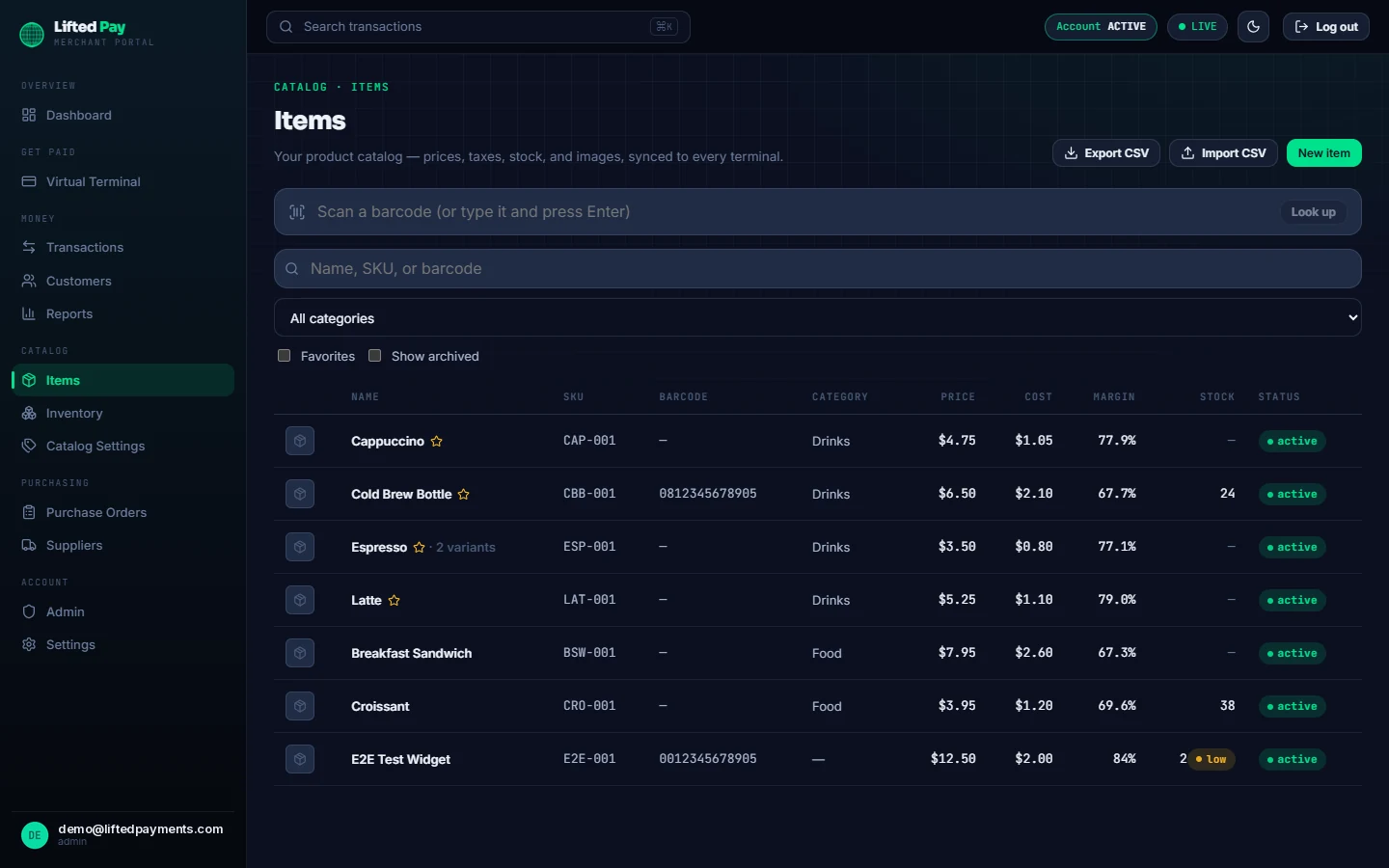
pay.liftedpayments.com/items · item editor
Actual merchant portal · sample catalog data.
The product
One app, from the counter to the back office.
Today it sells on the counter — from a keypad or straight from your product catalog — prints the
itemized receipt, reports, handles eligible refunds, and keeps the back office honest with tracked stock and
true item cost.
On the counter
From idle to charging in two taps.
The terminal stays dead simple on purpose — one big keypad, one Charge button, glove-friendly and
one-handed. When it’s time for the card, the secure PAX payment layer takes the screen for tap, dip, or swipe, and hands back
a clean approved-or-declined result. All the complexity lives in the portal, not in your cashier’s way.
Keypad entry, glove-friendly
Card, cash, or debit tender
Instant approve / decline / recovery states
Keeps selling through a dropped connection — cash sales and queued receipts sync the moment you’re back online
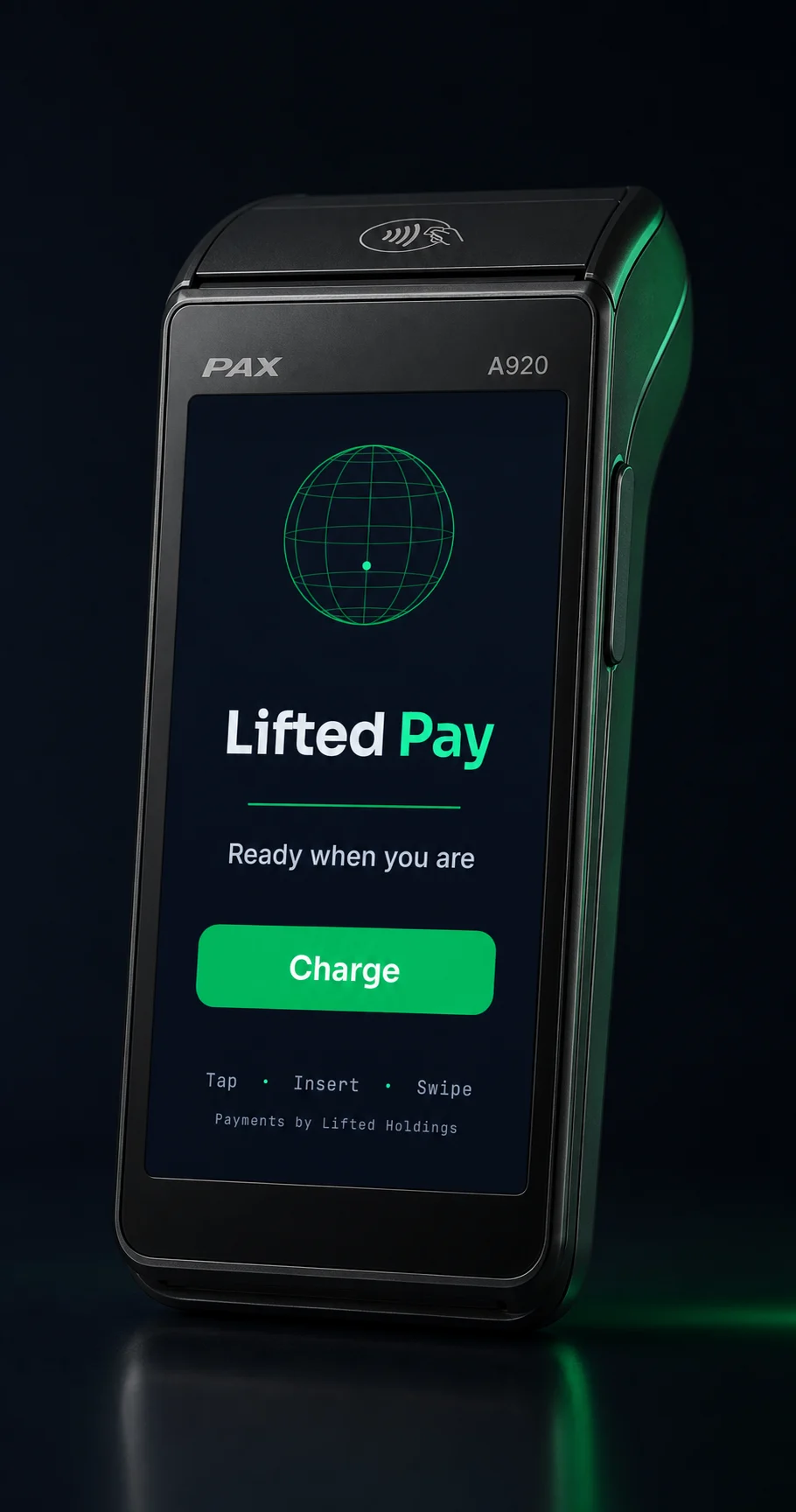
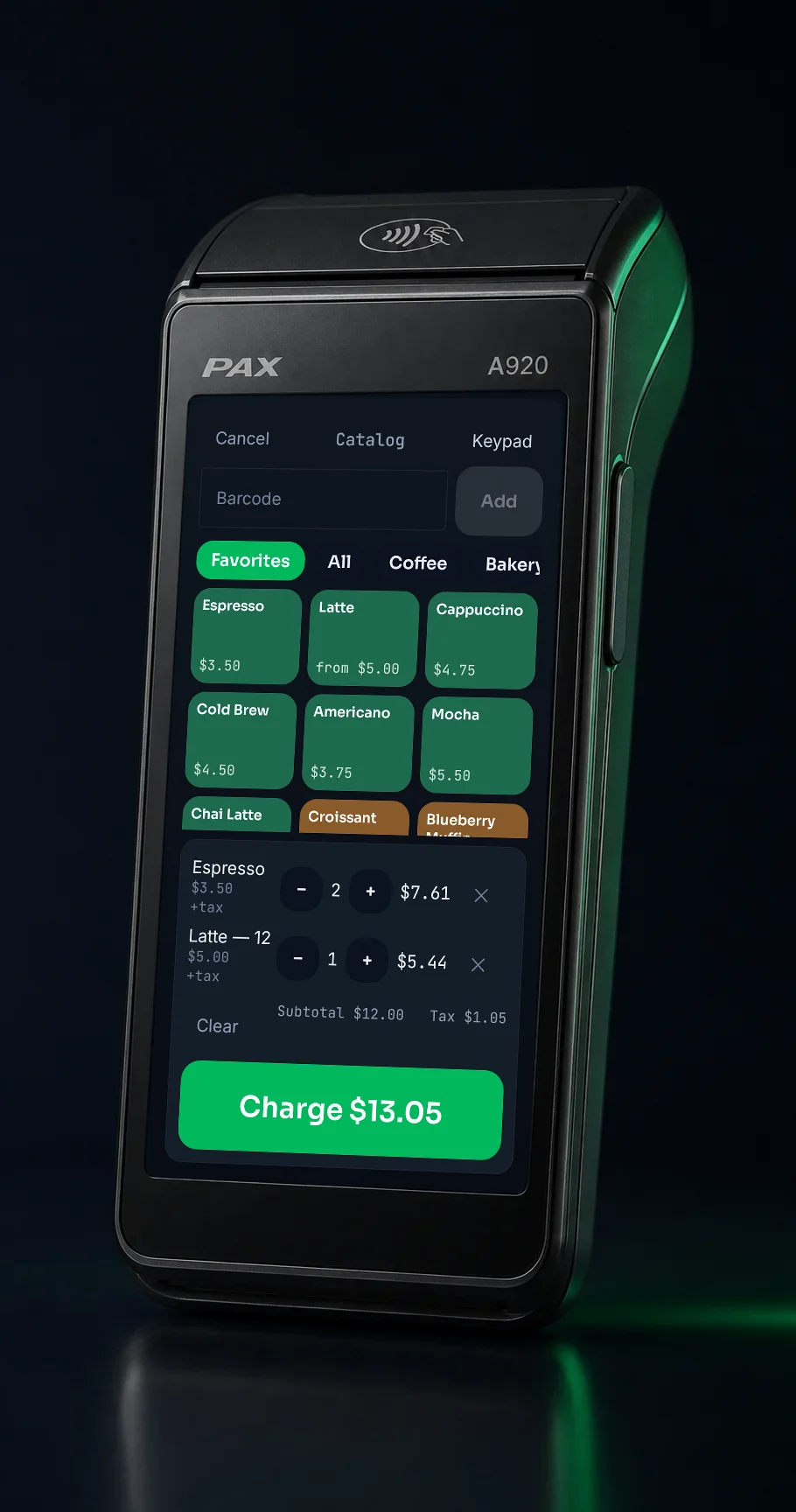
A920 · readyA920 · keypad sale · demo
Actual Lifted Pay interface · sale demonstrations run against a simulated processor · no live card charged.
On the counter · New — catalog selling on the terminal
Sell from your catalog.
Ring up products, not just amounts. Category tabs, favorites, variants, and quantities build the cart in a
couple of taps; item-level taxes — including prompt-at-sale — apply per line; and a barcode scan on the
terminal’s built-in scanner drops the item straight into the cart. The catalog syncs automatically from
the portal, so there is nothing to key in on the terminal.
Category tabs, favorites, variants, and quantities
Item-level taxes, including prompt-at-sale
Barcode scan-to-cart with the built-in scanner
Synced from the portal — no data entry on the terminal
Actual Lifted Pay interface · demonstration against a simulated processor · no live card charged.
The back office · New — inventory and true cost
Inventory that knows your true cost.
The portal manages the whole catalog — items, variants, categories, item-level taxes, images, CSV import
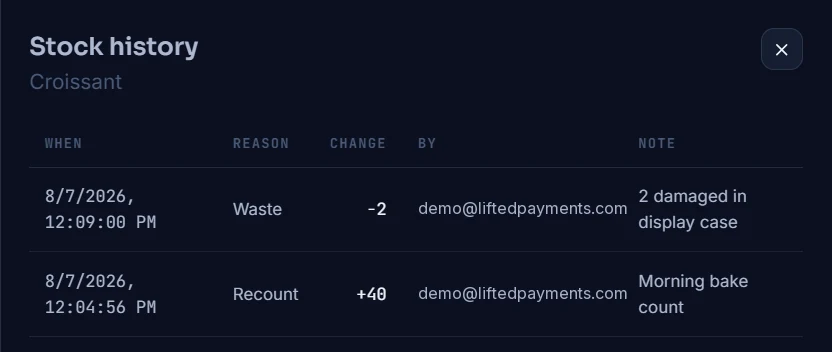
and export — and tracks the stock behind it. Every quantity change lands in an auditable movement ledger
with who, when, and why; low-stock alerts arrive by email; and item cost is a weighted average recomputed
as purchase orders are received, not a number someone typed once.
Movement ledger, zoomed — every stock change carries who, when, and why.
Actual merchant portal · sample catalog data.
Purchasing · New — purchase orders
Purchase orders to real margins.
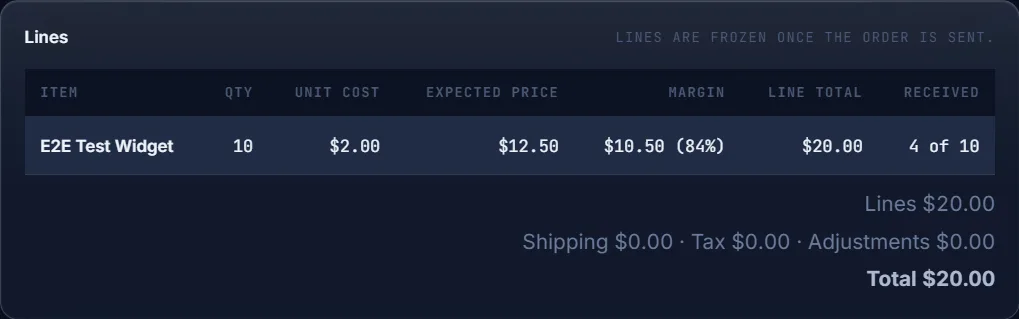
Draft a purchase order against a linked supplier, send it, and receive stock line by line — partial
deliveries included. Every delivery is booked as an immutable receipt against the order with a full status
history, weighted-average cost re-weights on each receive, and the item-margin report shows what every
product actually earns: revenue, COGS, margin, and margin % per item.
Draft → send → receive, with partial receiving
Immutable receipts + full status history
Average cost re-weights on every receive
Item-margin report: revenue, COGS, margin %
PO receiving, zoomed — weighted-average cost recomputes on the receipt.
The receipts log, zoomed — one immutable row per delivery: when, who, lines, notes.
The catalog, zoomed — price, cost, and margin % on every item.
Actual merchant portal · sample catalog data.
Workflow preview · phone + mail order
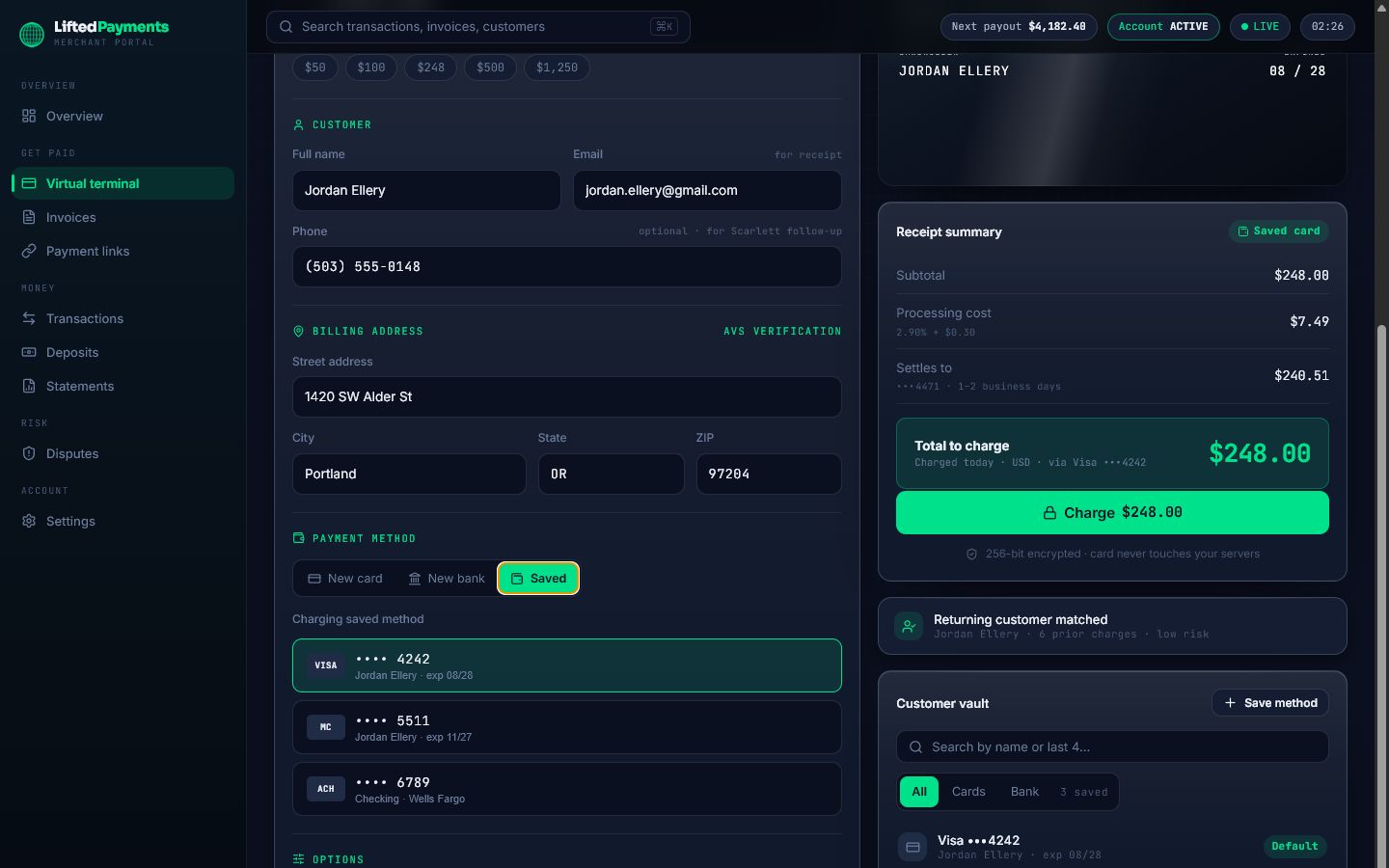
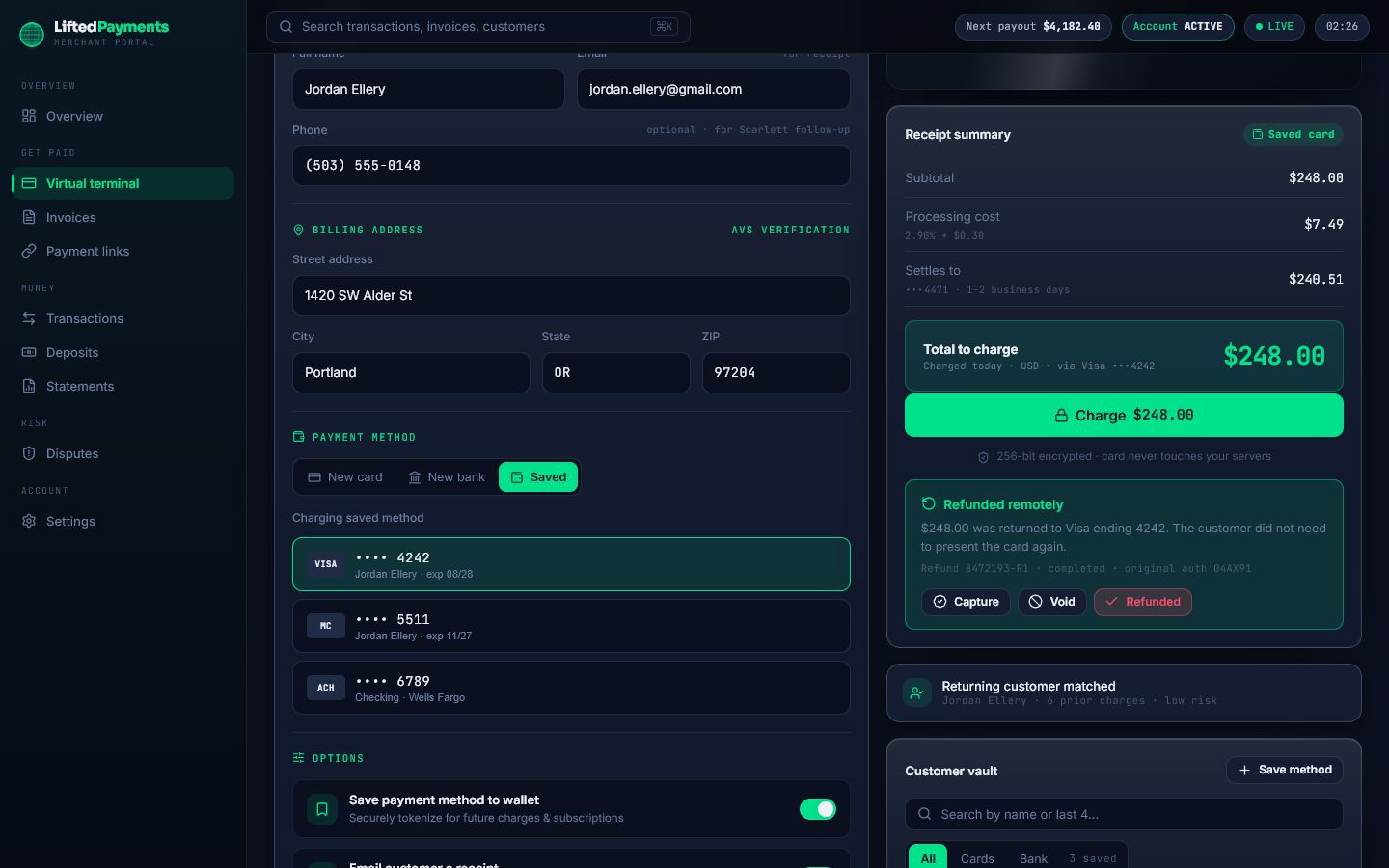
Saved-card charges in build. Remote refunds live.
The saved-card processing path is proven internally, but its self-service merchant route and hosted-fields
verification are not released. Refunds of qualifying completed transactions are live today for eligible
roles and payment rails.
Preview: select a saved card by customer and last four
Preview: charge the tokenized credential from the portal
Preview: approved transaction ID and authorization trail
Live: refund a qualifying completed transaction
Lifted Gateway · product preview · saved card
pay.liftedpayments.com/transactions · live refund
Actual Lifted interface · simulated data · saved-card charge is a product preview · qualifying refunds are live · no charge performed.
The back office
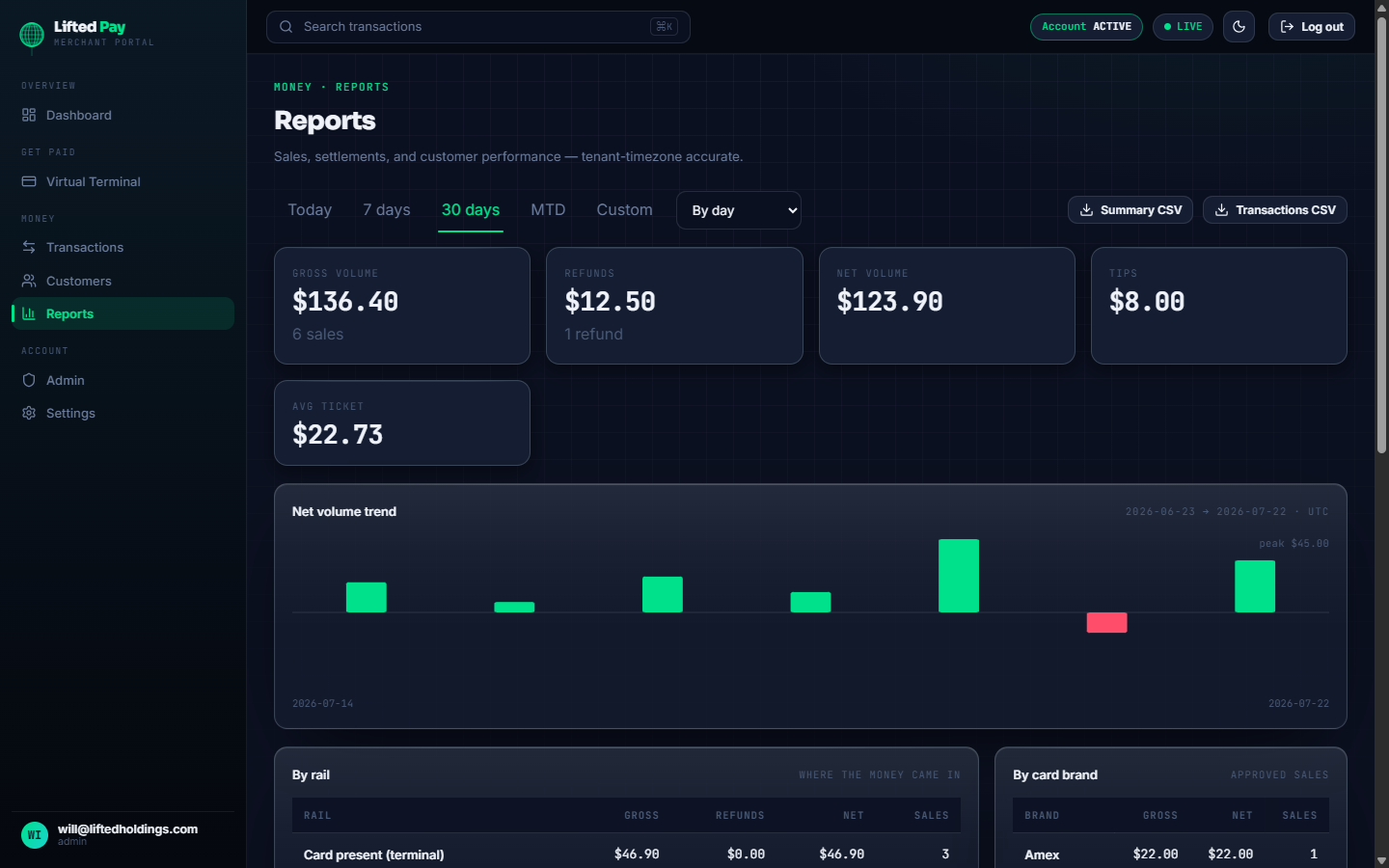
Reports on volume, tips, and every batch.
Gross, refunds, and net volume, tips, average ticket, a net-volume trend, and totals by terminal, rail,
and card brand — with the batch reconciled on the dashboard. Margin reporting now ships with the catalog:
the item-margin report above puts revenue, COGS, and margin % on every item you sell.
Gross, refunds, net volume, tips, average ticket
Net-volume trend + totals by terminal, rail, and card brand
Batch & settlement reconcile on the dashboard
Item-margin report — powered by catalog cost data
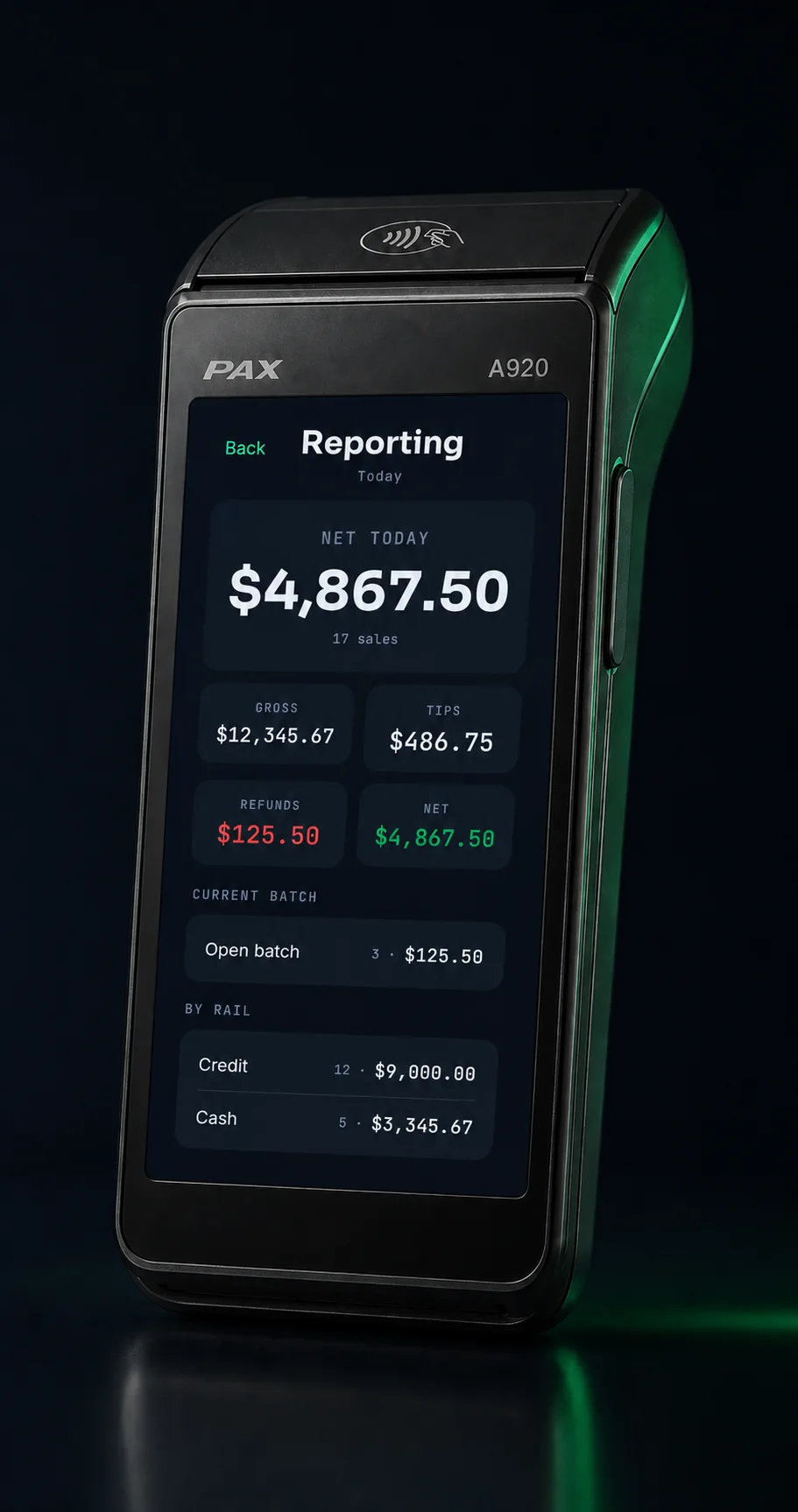
On-device totals ship on the terminal, too.
pay.liftedpayments.com/reports
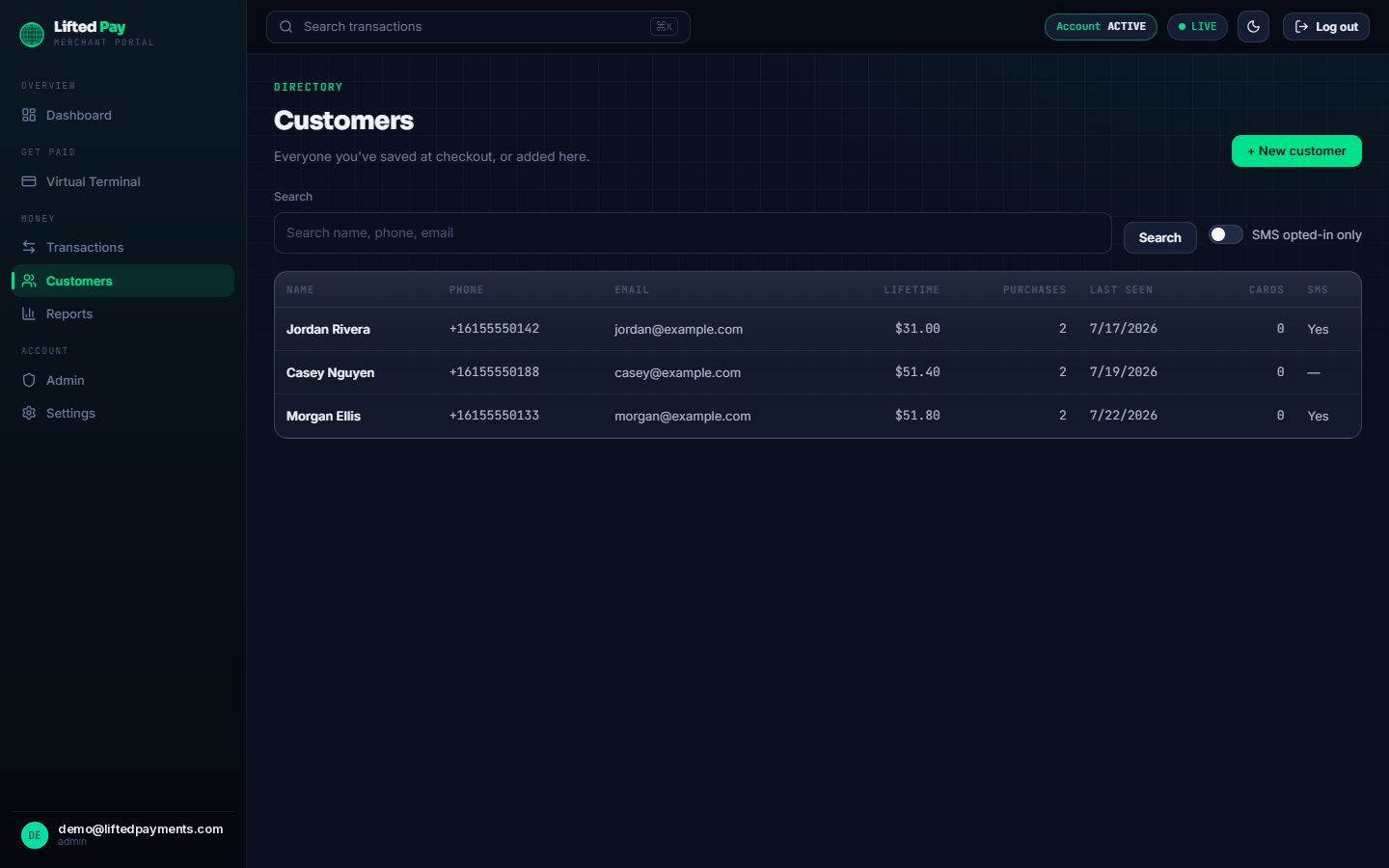
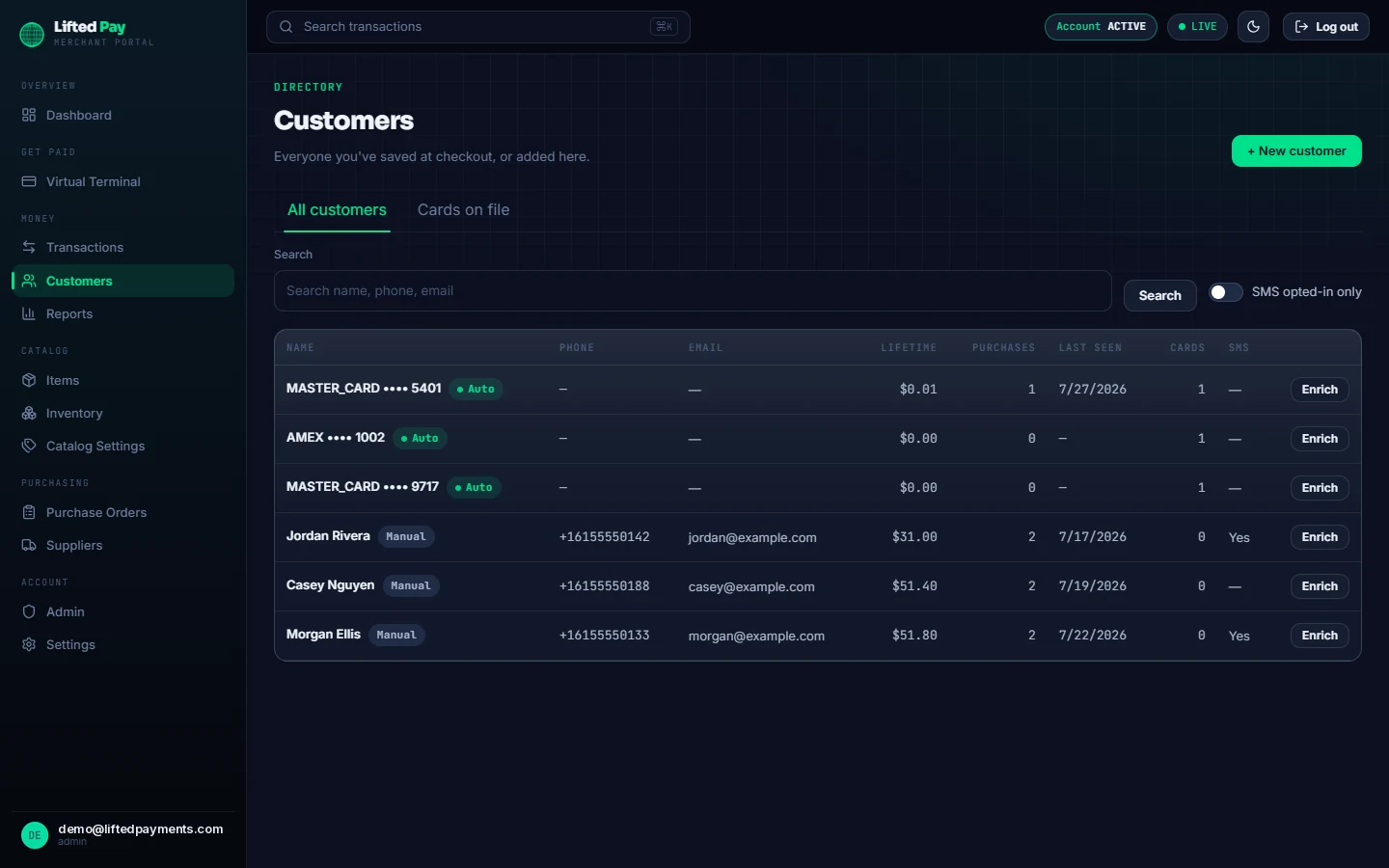
pay.liftedpayments.com/customers
Actual merchant portal · sample catalog data.
The handoff
Receipts, however they want them.
An approved catalog sale gets two pieces of paper, each from the layer that owns it: the secure payment
layer prints the card slip — with per-device copy settings you control from the portal — and Lifted Pay
prints its own itemized merchant receipt, because the secure layer can’t print your basket. Missed
the tear-off? Reprint the last receipt from the admin menu. Connection dropped? A durable offline queue
holds receipts and customer saves and replays them until the server acknowledges every one.
Itemized merchant receipt with real line items on the built-in printer
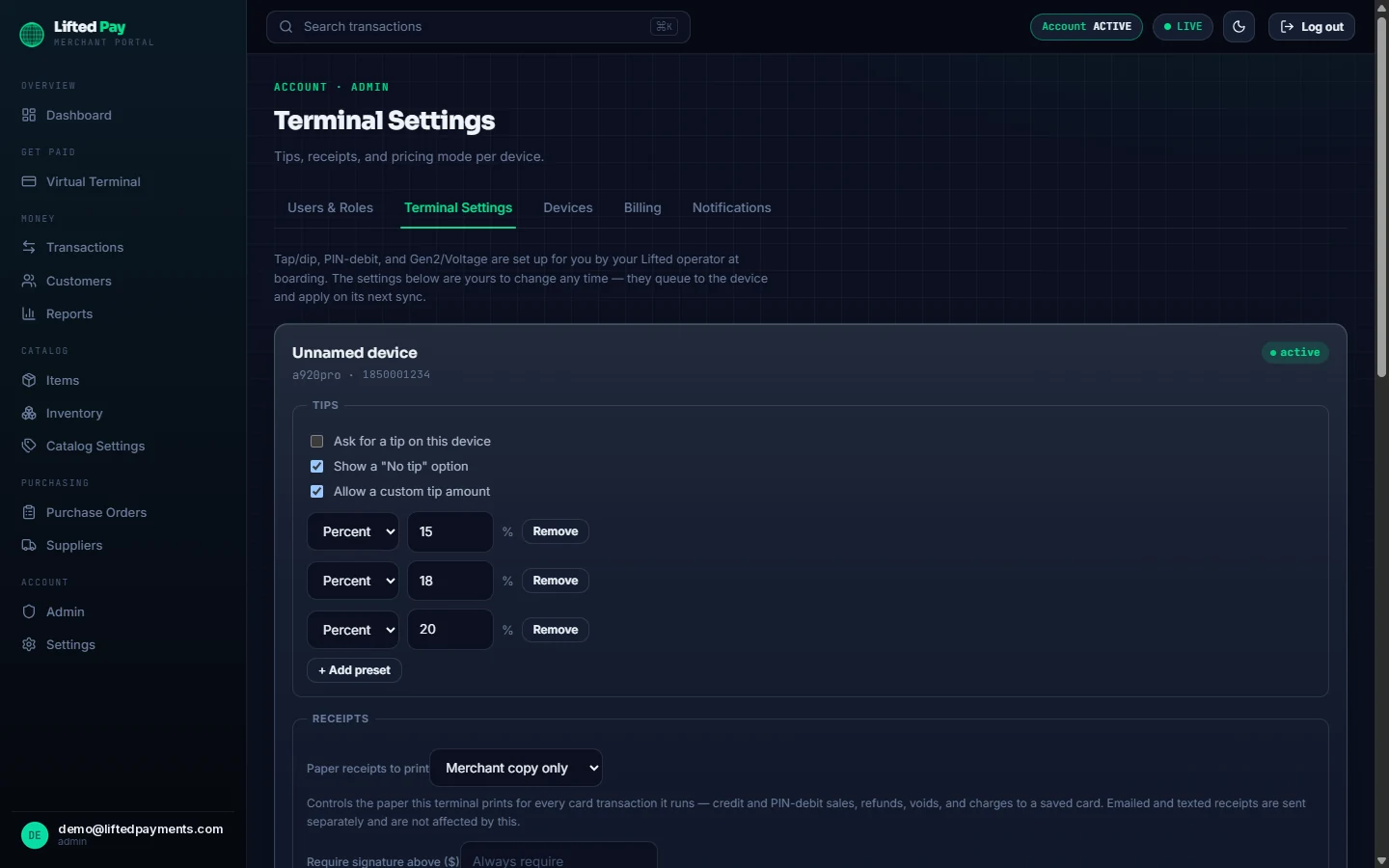
Card slip from the secure payment layer — copies set per device, from the portal
Reprint the last receipt from the admin menu
Durable offline queue — receipts and customer saves replay until server-acknowledged
Masked card details only — never a full number
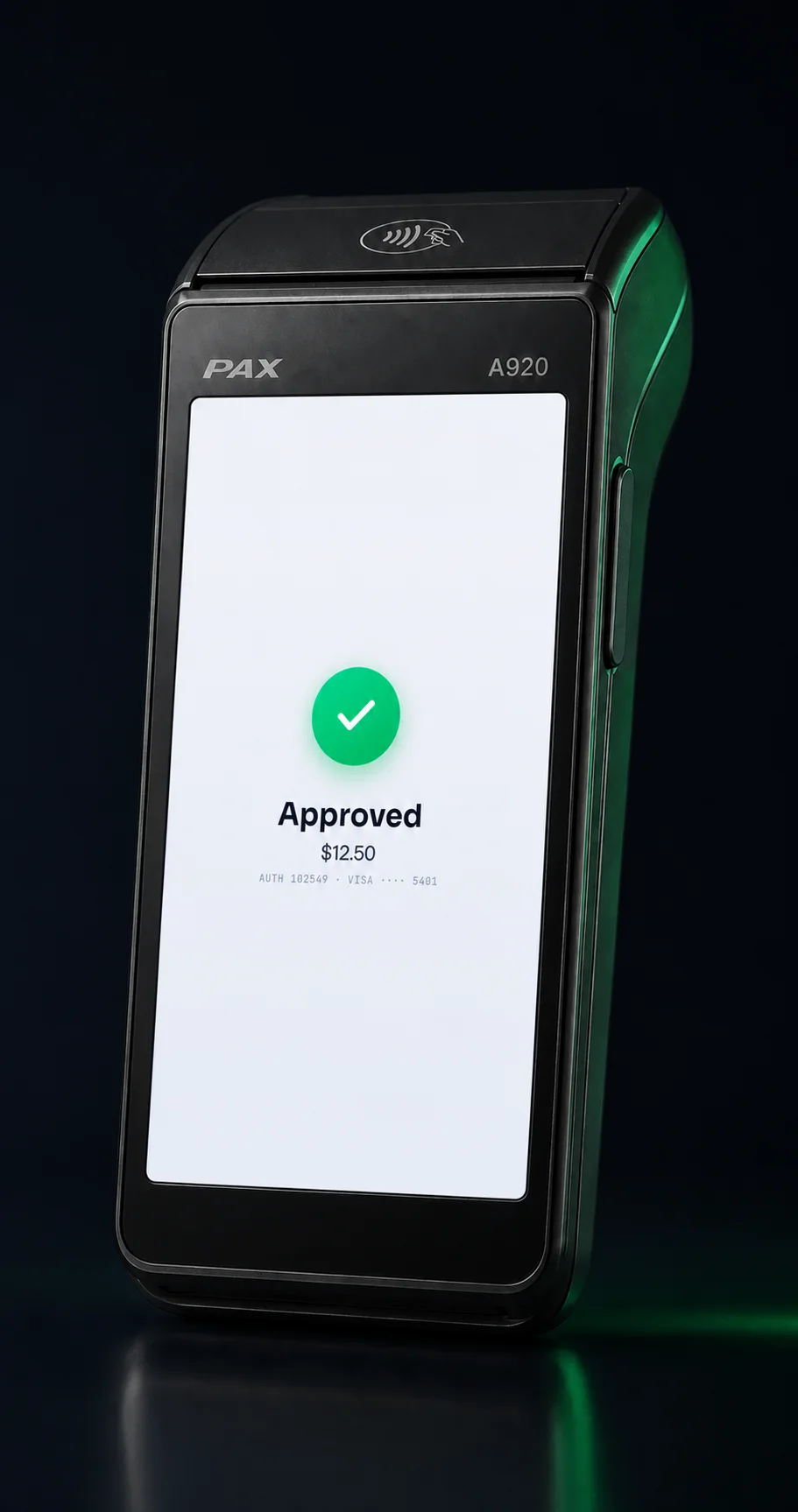
A920 · approved
pay.liftedpayments.com/admin · terminal settings
Actual merchant portal · receipt copies and tip presets are set per device and sync to the terminal.
On the roadmapComing through launch
Building toward the full suite.
These features are specced and in build — not shipping yet. Card-present and catalog sales, dual pricing,
inventory, purchasing, and reporting run today; the browser virtual terminal and browser card-on-file
routes remain previewed until hosted-fields validation and release gating are complete.
Invoices with deposits
Build invoices from the catalog, take a deposit or partial payment, with reminders on by default.
Payment links + hosted pay
Fixed, open, or per-item links with a QR, paid on a hosted page where card data never touches your device.
Device & user management
Manage the fleet and invite your team with Admin, Manager, and Member roles from one screen.
Emailed & SMS receipts
Branded, itemized receipts with masked PAN and auth code, delivered by email or text. Branded templates and copy/signature rules land at launch.
How the money side works
A token does the work of the card.
From the tap forward, Lifted Pay never touches a card number. What it holds instead — a
secure network token — is what makes saved cards, late refunds, and a small compliance footprint possible.
Encrypted at the tap
The card number never lands on your side.
The customer picks card or cash; the moment they tap, the card is already ciphertext. It’s
end-to-end encrypted inside the secure reader, and on a qualified account what comes back to Lifted Pay
is a network token scoped to that card — stable across taps, so the same card is the same customer next
week. Either way, the card number itself never reaches the app or the portal: they hold the token, and
receipts carry masked details only — which is what supports a SAQ-A compliance posture. And because the
token stays valid after the batch closes, so do your refunds.
End-to-end encrypted in the secure reader at tap, dip, or swipe
A card-scoped network token instead of a card number — stable across taps
Supports a SAQ-A posture — there’s no card number on your systems to secure
Refunds ride the token — including after settlement
Compliance scope depends on your complete environment — SAQ-A is the posture this design supports, not an automatic outcome. More: tokenization & SAQ-A.
A920 · tender · demo
01 / TAPThe card is encrypted inside the secure reader — before it moves anywhere
02 / TOKENA card-scoped network token stands in — the card number never comes back
03 / STORESaved cards and portal records run on the token — receipts stay masked
04 / LATERRepeat charges and post-settlement refunds reuse it — no card re-entry
Actual Lifted Pay interface · demonstration data · no live card charged.
Cards on file
A customer list that builds itself.
Nobody fills in a signup form at a counter. So Lifted Pay builds the list from the sales themselves:
every approved credit sale can mint an encrypted saved card and a deduplicated customer record
automatically — and even when no token comes back, the card’s own identity still matches the sale
to the same customer. Charging a saved card happens right on the terminal, behind the admin PIN, and
the portal keeps an expiring-cards view so a renewal never surprises you.
Approved credit sales mint saved cards and deduplicated customers automatically
Card identity matches repeat customers even on tokenless sales
Charge a saved card from the terminal — gated behind the admin PIN
Expiring-cards view in the portal, before declines start
Terminal charges to a saved card are live. The browser saved-card charge route remains a product preview in release gating.
pay.liftedpayments.com/customers · cards on file
Actual merchant portal · sample data · auto-saved cards appear beside manually added customers.
Inside Lifted Pay's transaction path
Why a sale never double-charges — or disappears.
This is how the shipped release is built—not a generic terminal diagram. The Android app composes the sale, journals it before the card is touched, hands payment interaction to PAX, and keeps reporting the same result until the back office acknowledges it.
01 / COMPOSEKeypad amount or catalog cart, optional tip, and cash or card rail
02 / JOURNALDurable 12-digit transaction reference before send
03 / PAXPOSLink2 handoff for tap, insert, or swipe
05 / ACKEncrypted outbound report retained until the server commits it
Money safety
Journal-before-send, single-flight, and no blind retries.
The journal-before-send rule means only one transaction can ever be in flight, and approved and declined results commit atomically with their outbound report. An interrupted response becomes a question we resolve — not a card charged twice.
PAX payment engine
The secure payment layer owns the sensitive card interaction.
Lifted Pay uses PAX POSLink2 to hand the transaction to the configured secure payment layer for card prompts and reader handling, then receives a normalized result without PAN, track, or PIN data.
Tokenized cards
Keep the credential useful without storing the card number.
For qualified accounts, an approved sale can mint a secure token for card-on-file charges and refunds. The raw token is kept in Android Keystore-backed encrypted storage, stripped from the plaintext journal, and never printed on a receipt.
Back-office delivery
Retry the report after reconnect, not the payment.
The outbound queue is acknowledgement-gated. If connectivity drops after the host responds, Lifted Pay replays the stored result by transaction reference until the server acknowledges it — so the terminal and the portal always reconcile to one sale, and a network blip never becomes a second charge.
How it works
Live in three steps.
01
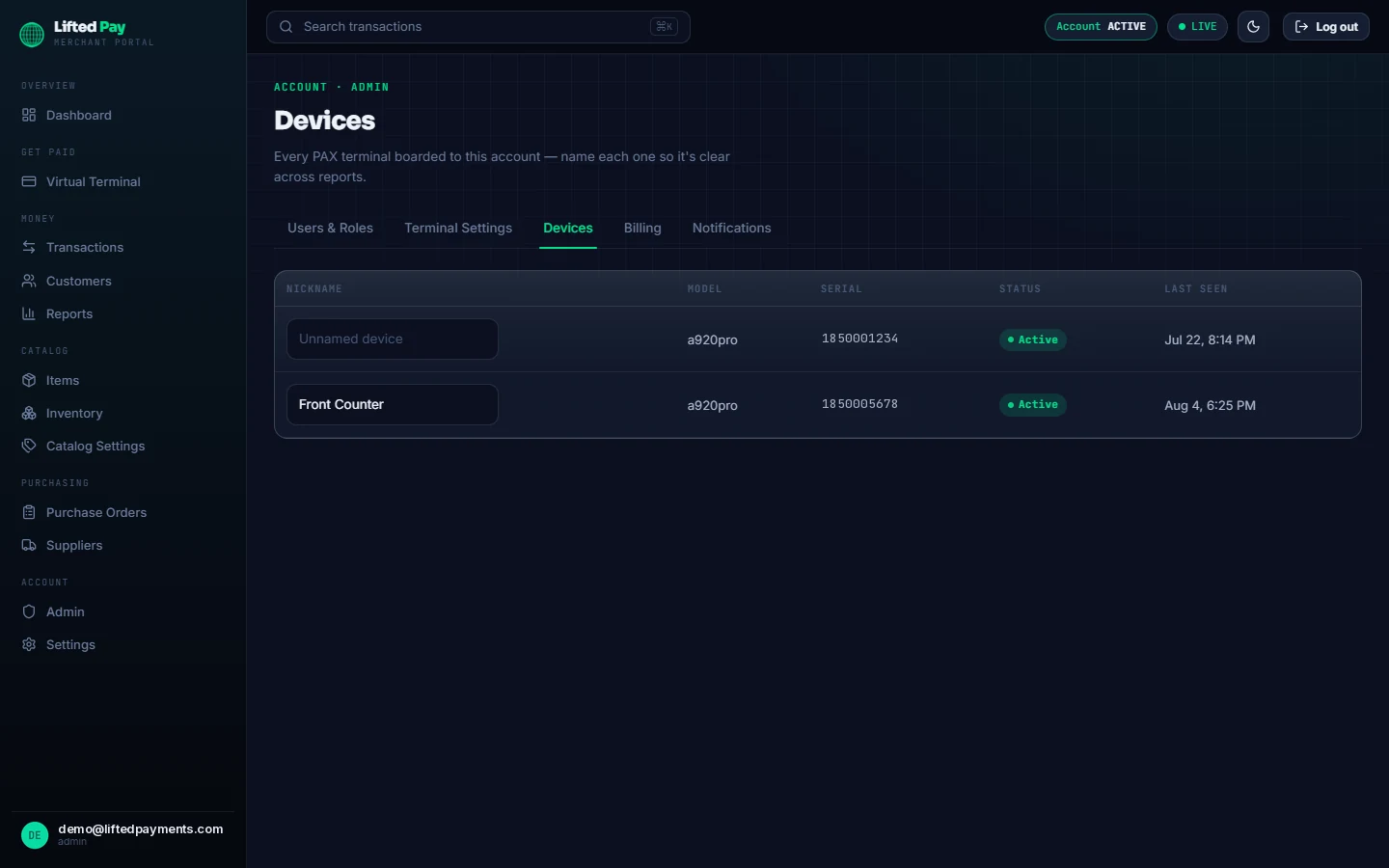
pay.liftedpayments.com/admin · devices
Get set up.
Apply for a Lifted Payments account or
bring your existing processor’s VAR sheet. We board you and ship your terminal — it’s waiting in your
portal before the box arrives.
02
Power on.
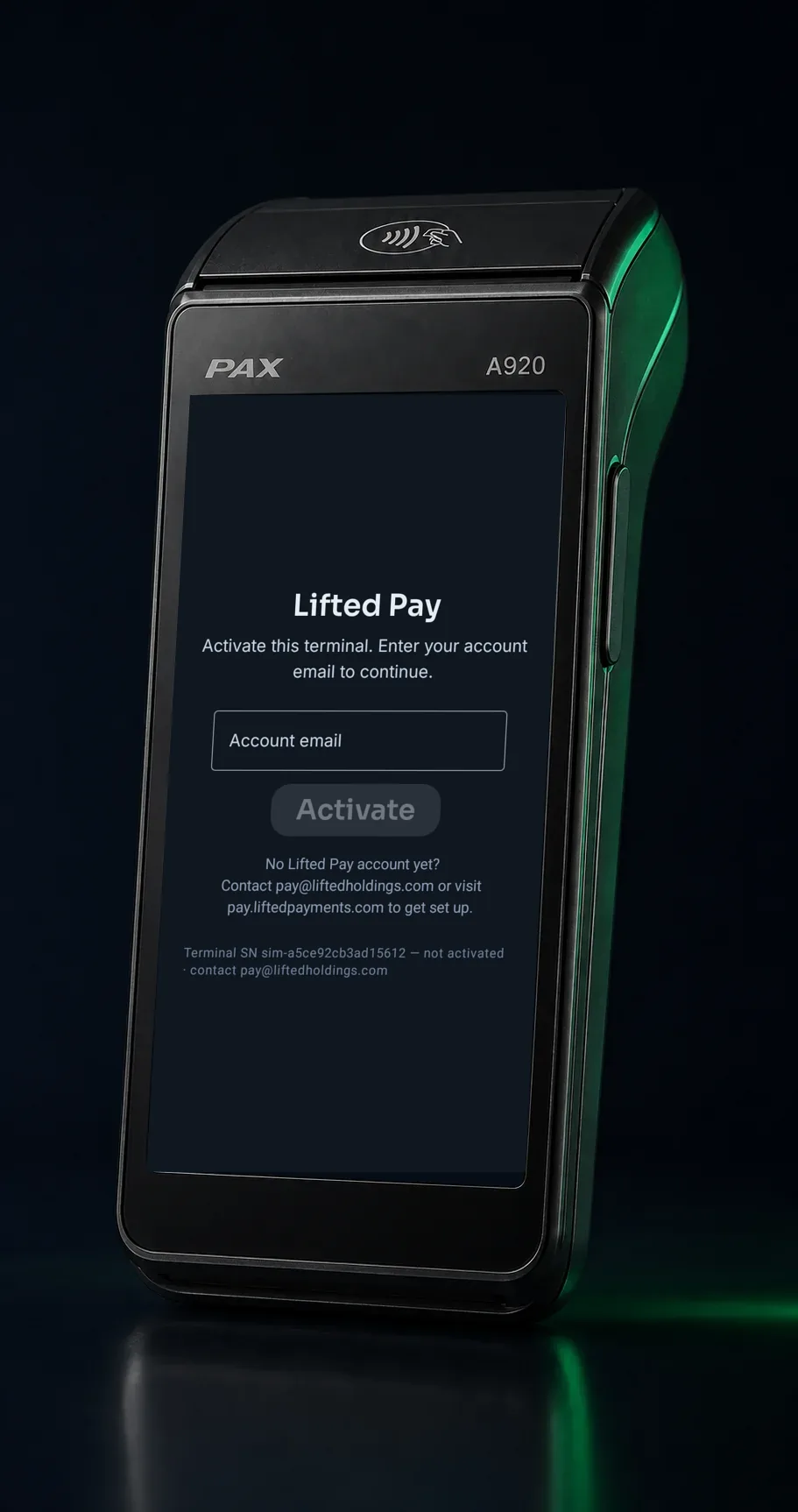
Your PAX A920 arrives ready. It activates
on first boot from its serial — no config, no cables, no IT.
03
Start selling.
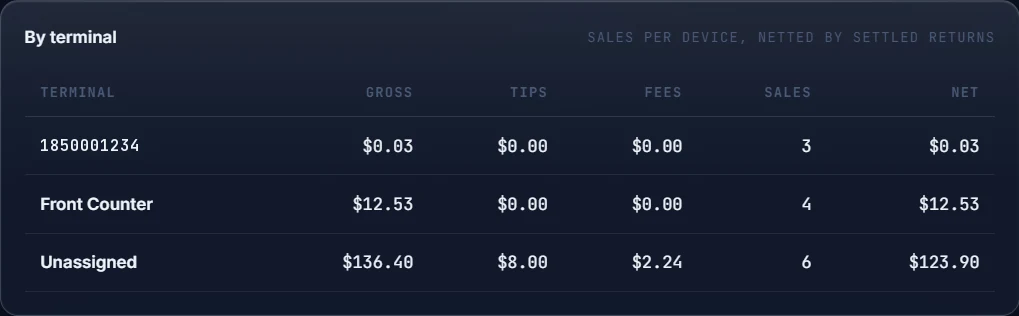
Charge cards on the counter and watch
every sale land in the merchant portal — gross, tips, fees, and net, per terminal.
Actual merchant portal · sample catalog data.
The full inventory
Everything in the box.
The whole shipped feature set, scannable — so nothing on this page is the thing you find
out about later.
Counter
Keypad and catalog sales
Barcode scan-to-cart
Variants, item taxes, prompt-at-sale tax
Tips and cash tender
Dual pricing (optional add-on)
Charge a saved card, behind the admin PIN
Itemized printed receipt + reprint-last
Keeps selling through dropped connections
Back office
Catalog with CSV import and export
Auditable inventory movement ledger
Low-stock email alerts
Purchase orders with partial receiving
Weighted-average cost and item margins
Reports by terminal, rail, and card brand
Expiring-cards view
Admin, Manager, and Member roles
Money safety
End-to-end encrypted at the tap
Network tokens — never card numbers
Supports a SAQ-A compliance posture
Auto card-on-file with deduplicated customers
Refunds — including after settlement
Journal-before-send — a sale never double-charges
Honest UNKNOWN outcomes — resolved, never guessed
Crash reporting on every build
Fleet
Multi-device, one portal
Zero-touch serial activation on first boot
Per-device receipt-copy and tip settings
Devices view with status and last-seen
Catalog syncs to every terminal
Per-terminal reporting
Optional Verizon cellular per device
Deploys on third-party ISO VAR sheets — ISO partners
On the roadmap, not in the box yet: invoices with deposits, payment links and hosted
pay pages, emailed & SMS receipts, and the browser virtual terminal. They’re marked Coming until
they ship.
Pricing
Simple pricing. No surprises.
Pay for the devices you run and the people who use them.
That’s it.
$15 / mo
per device
The app on one PAX terminal. Card-present and catalog sales, itemized receipts,
batch, and reporting — with full catalog, inventory, and purchase-order management in the web portal.
First user included.
Card-present sales via the secure PAX payment layer
Catalog, inventory, purchasing + reporting portal
Per-terminal reporting + batch reconciliation
$5 / mo
per additional user
Add a teammate with their own login and role. First user is included with your
first device.
Own login + role
Admin / Manager / Member
Per-user notifications
Optional add-on
$10 / mo
Dual pricing, per device
Show a card price and a lower cash price on every sale. The terminal presents both
before payment, receipts itemize the difference, and the portal records your signed disclosure
attestation. Enabled per device. The cash path stays surcharge-free.
Card + cash price on every sale
Receipts itemize the difference
Disclosure attestation recorded
Optional add-on
$19.99 / mo
Verizon cellular, per device
Add Verizon Mobile Internet to any terminal. Sell anywhere there’s signal — no
Wi-Fi required.
Verizon Mobile Internet
No Wi-Fi needed
Per-device add-on
Software fees are billed monthly. Processing rates are quoted with your account — most merchants either
beat their current effective rate or eliminate it with dual pricing. Bring a recent statement and we’ll
show you the math before you sign anything.
Everything on this page priced here ships today; roadmap items aren’t
billed until they ship.
One handheld smart terminal that runs your whole counter —
touchscreen, card reader, scanner camera, printer, and battery in one device.
A920 family · ready to charge
Model
Display
Printer & battery
Best for
PAX A920
Compact touchscreen
Built-in printer, all-day battery
Portable checkout and straightforward card acceptance
PAX A920 Pro
Larger, brighter display
Built-in printer, all-day battery
Busier counters that want more screen and headroom
PAX A920 Max
Largest display in the family
Built-in printer, top-end battery
Catalog-heavy and higher-volume counters
Wi-Fi included · Verizon cellular +$19.99/mo per device. Compare current models and first-boot steps in the PAX A920 setup guide.
FAQ
Questions merchants actually ask.
What does it cost?
$15/mo per device, $5/mo per
additional user (first user included), optional dual pricing $10/mo per device,
optional Verizon cellular $19.99/mo per device. Processing rates are quoted
with your account — bring a recent statement and we’ll show you the math before you sign anything.
Do I have to switch processors?
Not always. Lifted Pay can be qualified for more than one compatible processing
configuration. We review the current setup, hardware, and merchant requirements before recommending whether
to retain or change any part of the payment stack.
What is dual pricing?
Dual pricing shows two prices on every sale — the card price and a lower cash price —
and the customer chooses how to pay. Lifted Pay presents both prices on the terminal before payment,
itemizes them on the receipt, and records your disclosure attestation in the portal. It’s an optional
$10/mo per-device add-on. It is not a surcharge program — surcharging is
blocked in the product.
Can I bring my catalog from Square or SwipeSimple?
Yes. Export your items to CSV and import them in the merchant portal — items, prices,
and stock counts come across in one pass, and you can re-export at any time.
Is Lifted Pay approved in PAXSTORE?
Yes. Lifted Pay is approved and published in PAXSTORE for PAX PayDroid terminals, and
every release passes PAXSTORE review before it reaches a merchant’s terminal.
What do the online-payment features need?
Reporting and refunds of qualifying completed transactions run in the Lifted Payments
merchant portal today. The browser virtual terminal and self-service saved-card charge workflow remain in
release gating; online invoice payments and payment links are on the roadmap.
Will I be able to take a deposit on an invoice?
Yes — invoicing is on the roadmap, and when it ships, partial payments and deposits are
standard, with reminders on by default.
How do cost and margin differ from Square?
It’s included, not an upsell. Square gates wholesale cost behind a paid Retail tier;
SwipeSimple has no cost field at all. The Lifted Pay catalog puts weighted-average cost and margin on every
item in the base price, and the item-margin report shows what each product actually earns.
How many users and devices?
As many as you need — pay per device and per additional user.
Lifted Pay
Put the right payment path on the counter.
Start the merchant application. We will review the account,
qualify the deployment, and determine where Lifted Pay fits.